

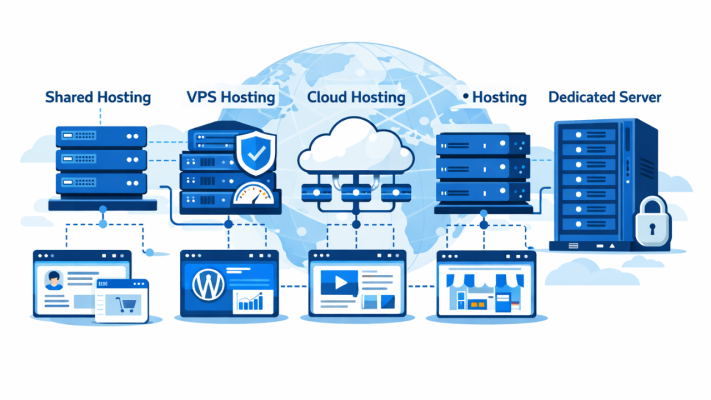
Types of Web Hosting Explained: A Complete Beginner’s Guide (2026)
Types of Web Hosting Explained (2026) Choosing the right web hosting is one of the most important decisions when creating a website. Whether you’re starting a blog, launching an eCommerce store, or running a high-traffic business website, the type of hosting you choose directly affects speed, security, uptime, and scalability.
In this guide, we’ll explain all major types of web hosting in simple terms, their pros and cons, and help you decide which hosting is best for your needs.
What Is Web Hosting?
Web hosting is a service that allows individuals and businesses to store their website files on a server, making the website accessible on the internet 24/7. When someone types your domain name (like tophosting.co.in), the hosting server delivers your website to their browser.
- Shared Hosting
What Is Shared Hosting?
Shared hosting means multiple websites share the same server resources such as CPU, RAM, and storage.
Best For:
- Beginners
- Personal blogs
- Small business websites
- Low-traffic websites
Advantages:
- Very affordable
- Easy to manage
- No technical knowledge required
- Ideal for first-time website owners
Disadvantages:
- Limited resources
- Slower performance during traffic spikes
- Less control and customization
Example Use Case:
A small blog or portfolio website with less than 10,000 visitors/month.
- VPS Hosting (Virtual Private Server)
What Is VPS Hosting?
VPS hosting divides a physical server into multiple virtual servers, giving you dedicated resources within a shared environment.
Best For:
- Growing websites
- Medium-traffic blogs
- Developers
- Small eCommerce stores
Advantages:
- Better performance than shared hosting
- Dedicated RAM & CPU
- More control and root access
- Scalable
Disadvantages:
- More expensive than shared hosting
- Requires basic technical knowledge (unless managed)
Example Use Case:
A WordPress website getting 50,000+ visitors per month.
- Cloud Hosting
What Is Cloud Hosting?
Types of Web Hosting Explained (2026) Cloud hosting uses multiple interconnected servers to host your website. If one server fails, another takes over automatically.
Best For:
- High-traffic websites
- Business websites
- Startups
- Websites needing high uptime
Advantages:
- Excellent uptime
- Highly scalable
- Pay-as-you-use pricing
- Handles traffic spikes smoothly
Disadvantages:
- Slightly complex pricing
- Can be costly at scale
Example Use Case:
A news portal or SaaS website with fluctuating traffic.
- Dedicated Server Hosting
What Is Dedicated Hosting?
In dedicated hosting, you get an entire physical server exclusively for your website.
Best For:
- Large enterprises
- High-traffic websites
- Resource-intensive applications
Advantages:
- Maximum performance
- Full server control
- High security
- Custom configurations
Disadvantages:
- Very expensive
- Requires server management skills
- Overkill for small websites
Example Use Case:
Large eCommerce platforms or enterprise applications.
- Managed WordPress Hosting
What Is Managed WordPress Hosting?
This hosting is specifically optimized for WordPress websites, with automatic updates, security, caching, and backups.
Best For:
- WordPress users
- Bloggers
- Business websites
- Non-technical users
Advantages:
- Faster WordPress performance
- Automatic updates & backups
- Strong security
- Expert WordPress support
Disadvantages:
- Limited to WordPress only
- Slightly higher cost
Example Use Case:
Professional WordPress blogs and business sites.
- Reseller Hosting
What Is Reseller Hosting?
Reseller hosting allows you to sell hosting services to others using server resources purchased from a hosting provider.
Best For:
- Web designers
- Digital agencies
- Entrepreneurs
Advantages:
- Earn recurring income
- WHM & cPanel access
- Create custom hosting plans
Disadvantages:
- You’re responsible for client support
- Depends on parent hosting provider
Example Use Case:
A web development agency offering hosting to clients.
- Colocation Hosting
What Is Colocation Hosting?
You own the server hardware but store it in a data center where power, cooling, and internet are provided.
Best For:
- Large organizations
- Companies with IT teams
Advantages:
- Full hardware control
- High-end infrastructure
- Better security
Disadvantages:
- Very expensive
- Requires technical expertise
- Not beginner-friendly

Comparison Table: Types of Web Hosting
| Hosting Type | Cost | Performance | Scalability | Best For |
| Shared | Low | Basic | Low | Beginners |
| VPS | Medium | Good | Medium | Growing sites |
| Cloud | Variable | High | High | Businesses |
| Dedicated | High | Very High | Medium | Enterprises |
| Managed WP | Medium | High | Medium | WordPress users |
| Reseller | Medium | Depends | Medium | Agencies |
Which Type of Hosting Should You Choose?
- New website? → Shared Hosting
- Growing traffic? → VPS Hosting
- Business-critical site? → Cloud Hosting
- Large enterprise? → Dedicated Server
- WordPress only? → Managed WordPress Hosting
👉 For expert comparisons and recommendations, explore detailed guides on tophosting.co.in.
Frequently Asked Questions (FAQs)
- Which is the best web hosting for beginners?
Shared hosting is best for beginners due to low cost and ease of use.
- Is VPS better than shared hosting?
Yes, VPS offers better performance, security, and control than shared hosting.
- What hosting is best for Indian websites?
Hosting with Indian data centers or nearby locations ensures faster loading speeds for Indian users.
- Can I upgrade my hosting later?
Yes, most hosting providers allow seamless upgrades from shared to VPS or cloud hosting.
- Is cloud hosting expensive?
Cloud hosting can be cost-effective since you only pay for the resources you use.
FAQ's
Shared hosting is best for beginners due to low cost and ease of use.
Yes, VPS offers better performance, security, and control than shared hosting.
Hosting with Indian data centers or nearby locations ensures faster loading speeds for Indian users.
Yes, most hosting providers allow seamless upgrades from shared to VPS or cloud hosting.
Cloud hosting can be cost-effective since you only pay for the resources you use.

